Why do some digital products feel effortlessly intuitive while others leave users frustrated and confused? The answer lies in the UX design process a systematic approach transforming abstract ideas into delightful, user-centered experiences.
Consider this: 88% of online users won’t return to a website after a poor experience, and 70% of online businesses fail due to bad usability. Yet companies investing in UX see returns averaging $100 for every $1 spent a staggering 9,900% ROI. These numbers reveal why understanding and implementing a structured UX design process has become non-negotiable for digital success.
This comprehensive guide breaks down the complete UX design process into 10 actionable steps, revealing exactly how professional designers transform user needs into successful digital products. Whether you’re a designer building your skills, a product manager overseeing development, or a business owner planning your next digital initiative, you’ll discover the methodologies, tools, and best practices that separate exceptional user experiences from mediocre ones.
Let’s explore how strategic UX design processes create products people genuinely love using.
What Is the UX Design Process and Why It Matters
Before diving into specific steps, understanding what the UX design process actually is and why following one proves essential prevents common pitfalls derailing digital projects.
Defining the UX Design Process
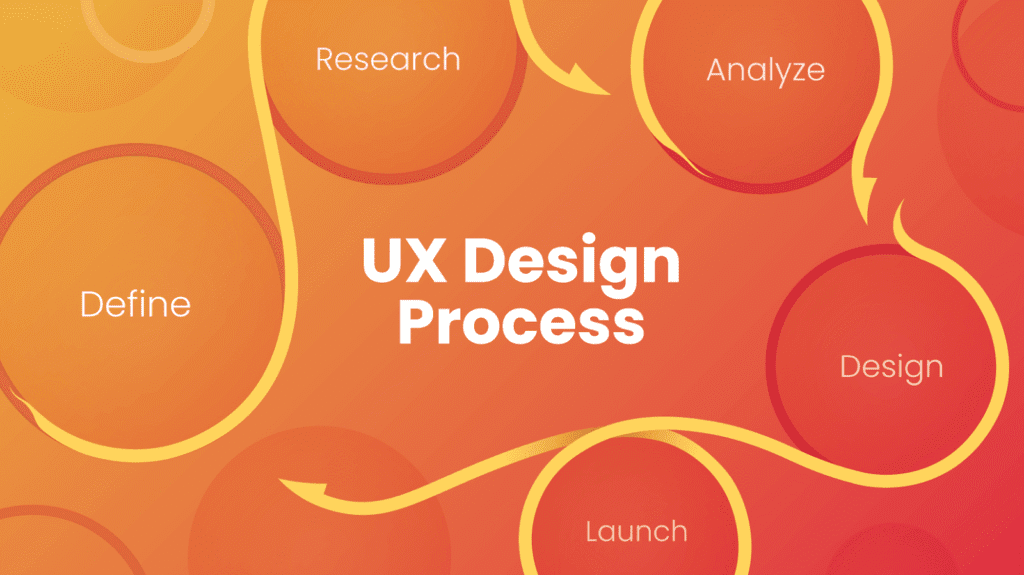
The UX design process is a structured methodology for creating products delivering meaningful, relevant experiences to users. Unlike arbitrary design decisions based on personal preferences or aesthetic trends, this process grounds every choice in user research, strategic thinking, and validated learning.
The process encompasses activities from initial problem discovery through post-launch optimization, ensuring solutions actually address real user needs rather than assumed ones. It’s inherently iterative designers cycle back through earlier stages as they learn more, test assumptions, and refine solutions based on feedback.
Why Structured Processes Beat Intuition Alone
While talented designers possess strong instincts, relying solely on intuition creates significant risks:
Confirmation Bias Distorts Decisions: Without structured research, designers unconsciously favor solutions confirming existing beliefs rather than challenging assumptions with evidence.
Stakeholder Opinions Override User Needs: In the absence of research-backed rationale, the loudest voice in the room often wins design debates regardless of what actually serves users best.
Expensive Mistakes Surface Late: Discovering usability problems after development completion costs 10-100 times more than identifying issues during design phases.
Team Alignment Breaks Down: Without shared processes and artifacts, cross-functional teams work toward different goals, creating inconsistent experiences and wasted effort.
Iteration Happens Randomly: Ad-hoc changes based on gut feelings rather than systematic improvement strategies produce unpredictable results.
According to research, following structured UX processes reduces post-launch changes by 60% while increasing user satisfaction scores by 40%. Working with UX design experts who understand proven methodologies ensures your projects benefit from established best practices rather than reinventing wheels.
The Business Impact of Strong UX Processes
Beyond improving user satisfaction, structured UX design delivers measurable business outcomes:
- Increased Conversion Rates: Companies improving UX see conversion rate increases of 400% on average
- Reduced Development Costs: Fixing problems during design costs 10x less than post-development fixes
- Higher Customer Retention: 66% of consumers willingly pay more for better experiences
- Stronger Brand Perception: 84% of consumers rate overall experience as important as product quality
- Improved Team Efficiency: Clear processes eliminate confusion about roles, responsibilities, and next steps
These outcomes explain why UX investment has shifted from optional enhancement to competitive necessity for digital products.
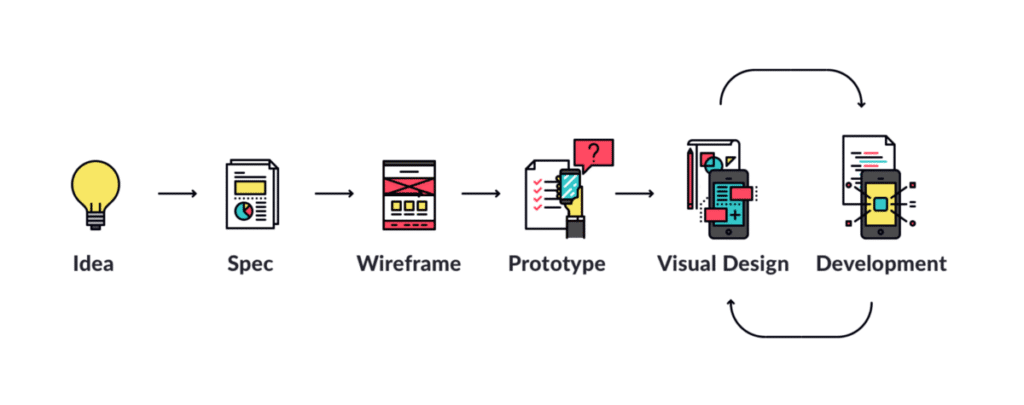
The 10-Step UX Design Process Explained
Let’s explore each stage of a comprehensive UX design workflow, revealing what happens at each phase, which activities prove most valuable, and how to execute effectively.
Step 1: Discover and Define the Problem
Great UX design begins with clearly understanding what problem you’re actually solving and for whom. This foundational step prevents wasting resources on beautiful solutions to wrong problems.
Key Activities:
Stakeholder Interviews: Conversations with business owners, product managers, and key stakeholders uncover business objectives, constraints, success criteria, and organizational context. These discussions reveal what success looks like from a business perspective.
Initial Problem Framing: Based on stakeholder input, create preliminary problem statements articulating the challenge from a business angle. These statements will evolve as you learn more about users.
Goal Setting: Establish clear, measurable objectives for what the UX design should accomplish. Goals might include increasing task completion rates, reducing support tickets, improving conversion rates, or enhancing user satisfaction scores.
Constraint Identification: Document technical limitations, budget restrictions, timeline requirements, platform requirements, and other factors influencing feasible solutions.
Success Metrics Definition: Determine how you’ll measure whether design solutions succeed. Quantifiable metrics (conversion rates, time-on-task, error rates) provide objective evaluation criteria.
Why This Step Matters:
Without clarity on problems and goals, design becomes directionless. You might create solutions failing to address core issues or misaligning with business objectives. Clear problem definition ensures everyone works toward shared outcomes.
This phase establishes the strategic foundation for everything following. Similar to how professional website design begins with discovery understanding client needs, UX processes start by defining what success means.
Step 2: Conduct Deep User Research
With problems defined from a business perspective, shift focus to understanding users their behaviors, needs, contexts, and pain points. Research transforms assumptions into evidence-based insights.
Research Methods:
User Interviews: One-on-one conversations exploring user behaviors, motivations, frustrations, and goals. Semi-structured interviews allow following interesting threads while covering key topics.
Surveys and Questionnaires: Gathering quantitative data from larger user populations. Surveys validate assumptions, measure preferences, and identify patterns across broad audiences.
Field Studies and Contextual Inquiry: Observing users in their natural environments reveals how they actually work, not how they claim to work. Context provides insights interviews alone miss.
Analytics Analysis: Examining existing usage data identifies patterns, popular features, abandonment points, and user journeys through current products.
Competitive Research: Studying how competitors and analogous products solve similar problems reveals opportunities for differentiation and established conventions to respect or challenge.
Diary Studies: Having users record experiences over time captures longitudinal data about behaviors, frustrations, and needs that emerge across extended periods.
What to Discover:
- Primary user goals and motivations
- Current workflows and tools
- Pain points and frustrations with existing solutions
- Environmental and contextual factors affecting usage
- Technical comfort levels and device preferences
- Decision-making criteria and evaluation processes
Why This Step Matters:
Designing without understanding real users produces solutions fitting designer assumptions rather than user realities. Research prevents building products nobody wants or solving problems nobody has.
According to studies, companies conducting regular user research launch products with 50% fewer usability issues than those skipping research phases.
Step 3: Synthesize Research and Create User Artifacts
Raw research data proves overwhelming without synthesis transforming findings into actionable formats. This step converts observations into tools guiding design decisions.
Key Deliverables:
User Personas: Fictional characters representing distinct user types based on research patterns. Effective personas include demographics, goals, behaviors, pain points, motivations, and representative quotes bringing them to life.
Journey Maps: Visual representations of user experiences across time, showing stages, touchpoints, emotions, pain points, and opportunities. Journey maps might document current state experiences or envision future state possibilities.
Empathy Maps: Frameworks capturing what users say, think, feel, and do in specific contexts. Empathy maps help teams develop shared understanding of user perspectives.
Problem Statements: Refined problem definitions incorporating user insights. Format: “[Persona] needs [specific need] because [insight from research].” Example: “Busy professionals need faster expense reporting because manual processes delay reimbursements causing financial stress.”
Opportunity Areas: Identified spaces where design interventions could create value. These emerge from analyzing pain points, unmet needs, and gaps in current solutions.
User Quotes and Stories: Memorable narratives and verbatim quotes making research findings concrete and memorable for teams.
Why This Step Matters:
Synthesis transforms abstract research into concrete design direction. Personas and journey maps keep teams focused on real users rather than hypothetical ones throughout the design process.
These artifacts also facilitate stakeholder communication, helping non-design team members understand user perspectives and rationale behind design decisions.
Step 4: Generate and Explore Ideas
With deep user understanding established, shift into generative mode exploring potential solutions. This stage emphasizes quantity over quality, deferring judgment to enable creative thinking.
Ideation Techniques:
Brainstorming Sessions: Structured group activities generating numerous ideas quickly. Effective brainstorming follows “yes, and” principles, building on ideas rather than criticizing them.
Sketching Exercises: Rapid visual exploration of concepts. Quick, rough sketches enable exploring more ideas than detailed mockups allow.
Crazy 8s: Time-boxed exercise where participants sketch eight distinct ideas in eight minutes, forcing rapid ideation preventing overthinking.
“How Might We” Questions: Reframing problems as opportunities. Converting “Users struggle with checkout” into “How might we make checkout feel effortless?” opens creative possibilities.
Mind Mapping: Visual exploration of related concepts, connections, and possibilities expanding solution spaces.
Analogous Inspiration: Looking outside your domain for inspiration. How do other industries solve similar challenges? What can physical product design teach digital designers?
SCAMPER Method: Systematic ideation through Substitute, Combine, Adapt, Modify, Put to other uses, Eliminate, Reverse prompts.
Evaluation Criteria:
After generating many ideas, evaluate them against:
- Does it address core user needs identified in research?
- Does it align with business goals and constraints?
- Is it technically feasible within timeline and budget?
- Does it differentiate from existing solutions?
- Can we test it quickly to validate assumptions?
Why This Step Matters:
Exploring multiple possibilities before committing prevents settling on first workable ideas rather than best ideas. Divergent thinking during ideation opens creative possibilities that convergent thinking during refinement narrows.
Similar to how web design services explore various approaches before finalizing directions, ideation generates options enabling informed choice rather than default decisions.
Step 5: Create Information Architecture and User Flows
Before designing interfaces, establish how content organizes and how users navigate through experiences. Strong information architecture prevents confusion even with beautiful visual design.
Information Architecture Activities:
Content Inventory: Comprehensive list of all content, features, and functionality requiring accommodation in designs.
Content Categorization: Grouping related items logically. Card sorting exercises with users reveal their mental models for how content should organize.
Site Maps: Hierarchical diagrams showing page relationships and navigation structures. Site maps visualize the overall structure before designing individual screens.
Navigation Design: Determining how users move between sections. Will you use tabs, hamburger menus, bottom navigation, or other patterns? What information needs persistent access versus can be buried deeper?
Taxonomy Development: Creating consistent naming conventions and categorization systems users understand intuitively.
User Flow Mapping:
User flows diagram specific paths users take accomplishing key tasks:
Entry Points: Where do users begin this flow? (Homepage, search results, email link, etc.)
Decision Points: Where do users make choices affecting their path?
Key Screens: What screens must users traverse completing tasks?
Success States: What does successful task completion look like?
Error and Edge Cases: What happens when things go wrong? How do users recover?
Alternative Paths: What different routes might users take achieving the same goal?
Why This Step Matters:
Even beautiful interfaces fail if users can’t find what they need or understand how to accomplish goals. Information architecture ensures logic underlying visual design, making experiences intuitive rather than confusing.
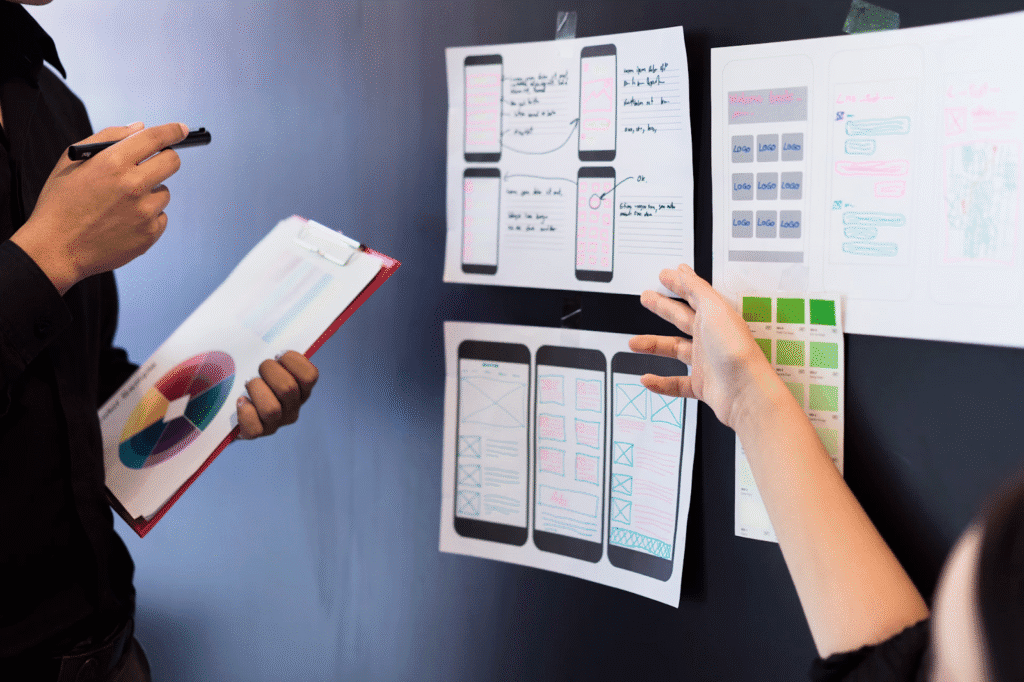
Step 6: Design Wireframes and Low-Fidelity Prototypes
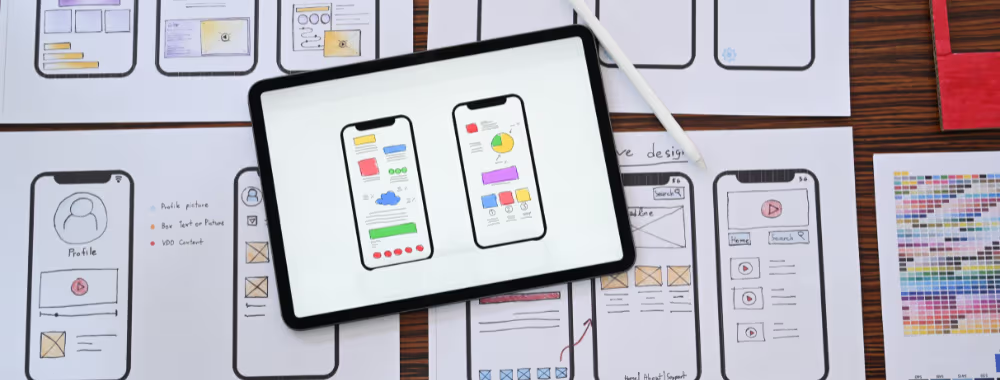
Wireframes translate information architecture and user flows into actual screen layouts. Low-fidelity approaches emphasize structure and functionality over visual polish.
Wireframing Approaches:
Paper Sketches: Fastest method for initial exploration. Pencil and paper allow rapid iteration without tool friction.
Digital Wireframes: Using tools like Figma, Sketch, or Adobe XD to create simple grayscale layouts. Digital wireframes are easier to share remotely and iterate collaboratively.
Interactive Wireframes: Adding basic click-through functionality so stakeholders and users can experience flows rather than just viewing static screens.
What to Focus On:
- Layout and Structure: Where do major content blocks sit? How does the grid organize information?
- Hierarchy: What’s most important? How does size, position, and grouping establish priority?
- Navigation: How do users move between screens? Are primary actions obvious?
- Content Placement: What information appears on each screen? Is everything necessary? Is anything missing?
- Functionality: How do interactive elements work? What happens when users click or tap?
What to Ignore (For Now):
- Visual design details (colors, imagery, typography)
- Pixel-perfect precision
- Final copy (placeholder text is fine)
- Animations and micro-interactions
Why This Step Matters:
Wireframes let teams evaluate structure and functionality before investing in visual design. Making structural changes at this stage takes hours; making them after visual design and development takes weeks.
Low-fidelity formats also prevent stakeholders fixating on design details (“I don’t like that blue”) before validating whether the fundamental approach solves user problems.
Understanding how web development translates designs into functional products helps designers create feasible wireframes from the start.
Step 7: Develop High-Fidelity Visual Designs
With structure validated through wireframes, apply visual design transforming functional layouts into polished, branded interfaces.
Visual Design Elements:
Color Systems: Establishing primary, secondary, and accent colors aligned with brand identity while ensuring accessibility. Color communicates hierarchy, provides feedback, and evokes emotional responses.
Typography: Selecting typefaces balancing readability with personality. Define type scales specifying sizes for headlines, body copy, captions, and UI elements. Ensure legibility across devices and sizes.
Imagery and Iconography: Determining photographic styles, illustration approaches, and icon systems. Visual elements should reinforce brand character while enhancing usability.
Spacing and Layout: Applying consistent spacing systems (often 4px or 8px base units) creating visual rhythm and polish. Define grid systems ensuring alignment and structure.
Component Design: Creating reusable UI components (buttons, form fields, cards, modals) with defined states (default, hover, active, disabled, loading, error).
Design Systems: Documenting all visual decisions in design systems ensuring consistency across products and teams. Design systems include component libraries, usage guidelines, and code specifications.
Responsive Design: Adapting layouts for various screen sizes from large desktop displays to mobile phones. Mobile-first approaches often produce cleaner designs.
Accessibility Considerations:
- Color contrast meeting WCAG AA standards (4.5:1 for normal text)
- Touch target sizes adequate for finger interaction (44x44px minimum)
- Focus indicators for keyboard navigation
- Alternative text for images (documented for developers)
- Form labels and error messages clearly associated with inputs
Why This Step Matters:
Visual design isn’t mere decoration it’s functional communication guiding attention, establishing hierarchy, providing feedback, and creating emotional connections with users.
Professional visual design also builds trust and credibility. Research shows 75% of users judge company credibility based on website aesthetics.
Step 8: Create Interactive Prototypes
Prototypes bring designs to life, allowing teams and users to experience products before development. Interactive prototypes reveal usability issues invisible in static mockups.
Prototyping Approaches:
Clickable Prototypes: Linking screens together so users can click/tap through flows. Tools like Figma, Adobe XD, and InVision enable rapid clickable prototype creation.
High-Fidelity Prototypes: Fully designed, interactive versions closely resembling final products. Include realistic content, polished visuals, and detailed interactions.
Coded Prototypes: For complex interactions, developers sometimes create functional prototypes using actual code. These demonstrate technical feasibility while providing realistic performance.
What to Prototype:
Focus prototyping efforts on:
- Complex or novel interaction patterns
- Critical user flows (signup, checkout, core features)
- Areas where stakeholder alignment is needed
- Concepts requiring user validation before development commitment
Interaction Design:
Define how users engage with interfaces:
- Transitions: How screens connect through animation
- Feedback: Visual responses confirming actions (button press animations, loading states)
- Micro-Interactions: Small moments of delight (like button animations, pull-to-refresh)
- Error Handling: What happens when things go wrong
- Progressive Disclosure: Revealing complexity gradually as needed
Prototyping Tools:
- Figma: Collaborative design with robust prototyping capabilities
- Adobe XD: Comprehensive prototyping and design tool
- Framer: Code-based prototyping for advanced interactions
- ProtoPie: Sensor-based mobile prototyping
- Principle: Animation-focused prototyping tool
Why This Step Matters:
Users interacting with prototypes provide feedback impossible to gather from static screenshots. Experiencing flows reveals friction points, confusion, and delight that descriptions alone never capture.
Prototypes also facilitate stakeholder communication and developer handoff, ensuring shared understanding before expensive development begins.
Similar to how custom conversion optimization tests variations before committing, prototyping validates design decisions before implementation.
Step 9: Test with Real Users
Testing validates design decisions against actual user behavior rather than designer assumptions. Usability testing reveals what works, what confuses, and what needs improvement.
Testing Methods:
Moderated Usability Testing: Researchers facilitate sessions, observing users completing tasks while asking follow-up questions. Moderated testing provides rich qualitative insights about user thinking.
Unmoderated Testing: Users complete tasks independently using testing platforms. Unmoderated approaches scale better and cost less but provide less nuanced feedback.
A/B Testing: Comparing two design variations to determine which performs better. A/B testing works for live products or high-fidelity prototypes.
First-Click Testing: Evaluating where users first click attempting tasks. First clicks reveal whether navigation and information architecture align with user expectations.
Five-Second Tests: Brief exposure testing measuring first impressions and information hierarchy effectiveness.
Card Sorting: Understanding how users mentally organize information by having them group labeled cards and explain their reasoning.
Conducting Effective Tests:
Participant Recruitment: Select participants matching target user personas. Typically 5-8 users per testing round identify 85% of usability issues.
Task Design: Create realistic scenarios reflecting actual user goals without telegraphing solutions. “Find and purchase a blue sweater in size medium” beats “Click Products, then Clothing, then Sweaters.”
Think-Aloud Protocol: Ask participants to verbalize thoughts while completing tasks, revealing mental models and decision-making processes.
Observation Focus: Document what users do, not just what they say. Note hesitations, errors, unexpected behaviors, and successful completions.
Post-Task Questions: After task attempts, ask about difficulty, confusion, satisfaction, and suggestions.
Analysis Approach:
- Identify Patterns: Individual issues might be unique, but patterns across multiple users indicate systemic problems.
- Prioritize by Impact: Not all problems are equal. Prioritize based on severity (prevents completion vs minor annoyance), frequency (affects most vs few users), and business impact (affects revenue vs secondary features).
- Distinguish Preference from Usability: “I don’t like this color” differs from “I couldn’t find the submit button.” Address usability failures; consider preference feedback carefully.
Testing Tools:
- UserTesting.com: Comprehensive testing with participant recruitment
- Maze: Product research platform with various testing methods
- Lookback: Live interview and recording platform
- Optimal Workshop: Card sorting and tree testing tools
- Hotjar: Behavior analytics and feedback collection
Why This Step Matters:
Real user behavior often contradicts designer expectations. Testing prevents launching products users struggle with, ensuring solutions actually solve problems they’re designed to address.
According to research, fixing problems found during usability testing costs 10x less than fixing them post-launch.
Step 10: Iterate, Refine, and Optimize
Based on testing insights, refine designs addressing identified issues. The UX process doesn’t end at launch ongoing optimization ensures products remain effective as user needs and contexts evolve.
Iteration Activities:
Addressing Critical Issues: Fix problems preventing task completion before polish improvements. Prioritize changes by impact and effort required.
Making Targeted Changes: Rather than wholesale redesigns, make specific improvements addressing identified issues. Focused changes are easier to test and validate.
Retesting Changes: Verify improvements actually solve problems without creating new ones. Quick validation tests confirm fixes work as intended.
Preparing Development Handoff:
Design Specifications: Detailed documentation guiding developers including measurements, spacing, colors, typography, interaction descriptions, animation timing, and platform-specific notes.
Asset Preparation: Export graphics, icons, and images in required formats and resolutions (multiple sizes for various devices and pixel densities).
Component Libraries: Organize reusable design components developers can reference ensuring consistency.
Developer Collaboration: Maintain ongoing communication during development ensuring faithful implementation while accommodating technical realities.
Post-Launch Optimization:
Analytics Monitoring: Track actual user behavior identifying friction points, popular features, and abandonment stages.
Feedback Collection: Gather ongoing user feedback through surveys, support tickets, and feature requests.
Performance Metrics: Monitor success metrics defined in Step 1, evaluating whether designs achieve intended outcomes.
Continuous Improvement: Regular review and refinement cycles keep products aligned with evolving user needs, competitive landscape, and business goals.
Why This Step Matters:
First versions are rarely perfect. Iteration based on real feedback transforms good designs into great ones while proper handoff ensures designs are faithfully implemented.
Understanding website development company processes ensures smooth design-to-development transitions preserving design integrity.
Essential UX Design Tools and Resources
Professional UX designers rely on various tools throughout the design process:
Research and Analysis Tools
- UserTesting: Remote user testing and research
- Optimal Workshop: Card sorting, tree testing, and first-click testing
- Hotjar: Heatmaps, session recordings, and user feedback
- Google Analytics: Website traffic and behavior analysis
- Lookback: User interview and testing platform
Design and Prototyping Tools
- Figma: Industry-leading collaborative design and prototyping
- Sketch: Mac-focused interface design
- Adobe XD: Comprehensive design and prototyping
- Framer: Code-based advanced prototyping
- InVision: Design collaboration and prototyping
Collaboration and Documentation Tools
- Miro: Virtual whiteboarding for workshops and brainstorming
- FigJam: Collaborative diagramming and ideation
- Notion: Documentation and knowledge management
- Confluence: Team documentation and collaboration
Accessibility Testing Tools
- WAVE: Web accessibility evaluation tool
- axe DevTools: Accessibility testing browser extension
- Stark: Accessibility checker for design tools
- Colour Contrast Analyser: Ensuring adequate contrast ratios
These tools support the process but don’t replace strategic thinking, user empathy, and design expertise the true foundations of exceptional UX.
Common UX Design Process Mistakes to Avoid
Even experienced teams sometimes fall into these traps:
Skipping Research
Assuming you know what users need without validation leads to solutions addressing wrong problems. Always ground design in research, not assumptions.
Designing for Yourself
Your preferences, skills, and context differ dramatically from users’. Design for them, not you. Personal taste matters far less than what serves your audience effectively.
Falling in Love with First Ideas
Early concepts are starting points, not destinations. Remain open to better solutions emerging through iteration and testing.
Ignoring Technical Constraints
Beautiful designs impossible to implement waste everyone’s time. Collaborate with developers early and often, understanding feasibility throughout design.
Testing Too Late
Waiting until development completes before testing means expensive changes when problems inevitably surface. Test continuously throughout design.
Over-Complicating Interfaces
More features don’t equal better experiences. Simplicity and clarity usually win. Focus on core use cases before adding complexity.
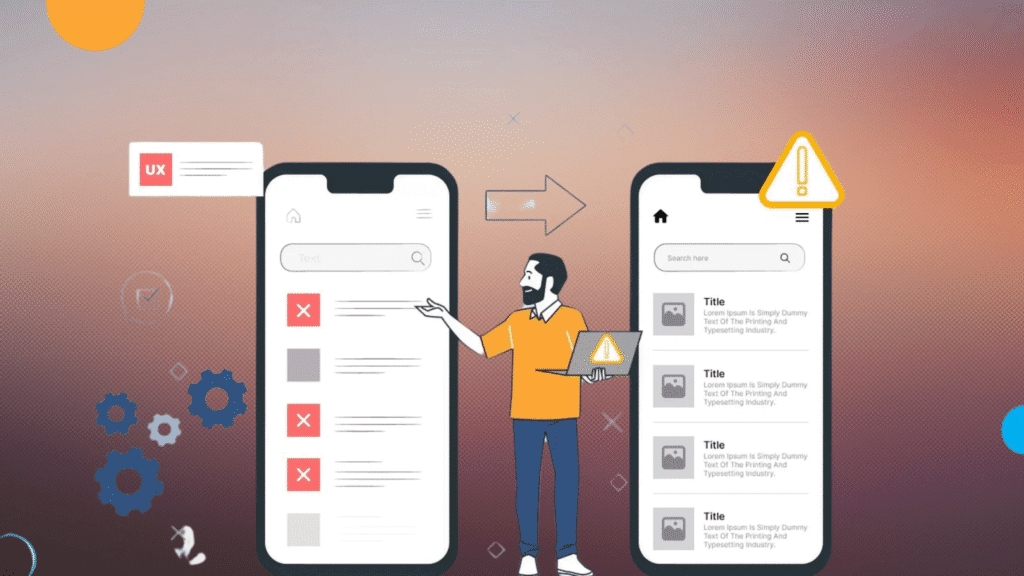
Neglecting Edge Cases
Designs must handle error states, empty states, loading states, and unusual scenarios not just happy paths where everything works perfectly.
Skipping Documentation
Undocumented designs lead to inconsistent implementation and knowledge loss when team members change. Document decisions, rationale, and specifications.
Frequently Asked Questions
1. How long does the UX design process take?
Timelines vary by complexity. Small improvements take 2–4 weeks, mid-sized projects need 6–12 weeks, and full redesigns or apps can take 3–6 months. Factors include research depth, stakeholder input, testing, and team size. Rushing hurts quality good UX takes time and careful testing.
2. Can I skip steps in the UX process?
You can simplify steps, but skipping them entirely causes problems. Always research users, plan structure, and test ideas. Even a light version of each phase is better than none skipping leads to poor user experiences and costly post-launch fixes.
3. What’s the difference between UX and UI design?
UX is how a product works and feels; UI is how it looks. UX focuses on structure, flow, and solving user problems. UI focuses on visuals colors, fonts, and spacing. Both work together to create intuitive, beautiful designs.
4. How many users should I test with?
Testing with 5–8 users usually uncovers most usability issues. Use more participants (10–15) for diverse insights and fewer (3–5) for quick iteration. Multiple small tests work better than one big round quality feedback matters more than quantity.
5. What if stakeholders disagree with research findings?
Use real stories, quotes, or videos from users to make research relatable. Show how user pain points impact business goals. Stay open to feedback but stand by evidence-based insights. Collaboration not conflict creates better outcomes.
Let’s Create User-Centered Solutions Together
At Web Guider Agency, we apply proven UX design methodologies to every project, ensuring solutions don’t just look impressive but actually solve user problems and achieve business goals. Our web design and development agency approach combines strategic research, creative exploration, and iterative refinement producing digital experiences users genuinely love.
From initial discovery through web design services to ongoing optimization SEO, we’re your partner in creating products that work as hard as you do. We don’t just follow processes we adapt methodologies to your unique challenges, resources, and objectives.
Book a free consultation to discuss your product vision and discover how our UX design process can transform ideas into validated, user-centered solutions. View our projects to see how we’ve helped businesses create exceptional user experiences driving measurable results.
Ready to start? Contact us today and let’s build something users will love.
About Web Guider Agency: Web Guider Agency is your trusted partner for UX design experts combining strategic research with creative execution and technical excellence. We help businesses create digital products that don’t just function they delight users while achieving business objectives through proven, user-centered design processes. Contact us to transform your vision into exceptional user experiences.